标签 app 下的文章

说明:电信的iTV机顶盒,教程完毕后不破坏原有功能,不完美的是不能直接安装apk。IP用的静态IP
有知道如何可以直接安装软件的大佬麻烦告知下
TIM截图20190702002759.png
TIM截图20190702002820.png

准备工具

U盘先下载好自己需要的app 如当贝桌面
ADB组件下载:http://cdn.tvapk.com/zndsjc/adb.zip #解压到c盘根目录
ADB密码计算器下载:http://cdn.tvapk.com/zndsrom/app/zikaikeji.apk #安装在手机

打开adb

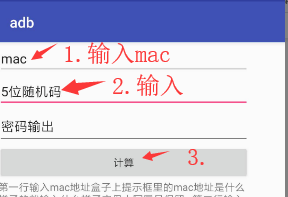
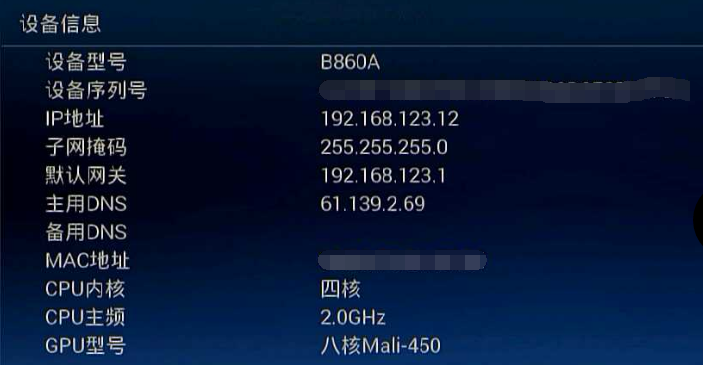
进入中兴盒子的设置,一般密码为:6321,连接网线或wifi(机顶盒和电脑处于同个网段),接着选择运维调试—打开ADB调试,然后手机打开ADB密码计算器,将对应的MAC地址与随机数填入
TIM截图20190702003825.png

cmd操作

按下键盘快捷键“WIN+R”,输入“cmd”确定,进入命令终端

cd c:/adb #切换到目录下
adb connect 192.168.123.12 #输入自己盒子的IP
adb shell
setprop config.Android.AppInstallCtrl 3
mount -o remount -o rw /system
echo "setprop config.Android.AppInstallCtrl 3" >> /system/bin/init.zte.post_boot.sh
echo "start adbd" >> /system/bin/init.zte.post_boot.sh
echo "adbd&" >> /system/bin/init.zte.post_boot.sh

df #查看自己U盘的路径 如:/storage/external_storage/sda1/
cd /storage/external_storage/sda1/ #进入目录
ls #列出当前目录下的所有文件
cp *.apk /data/app #复制当前目录下的所有apk文件到机顶盒目录(安装软件)
am start com.dangbei.tvlauncher #启用当贝桌面

参考:https://www.znds.com/jc/article/7408-1.html

说明:电信机顶盒,和谐后可以安装app,当普通盒子使用。

降级

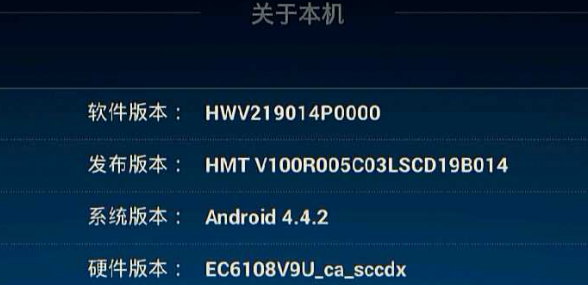
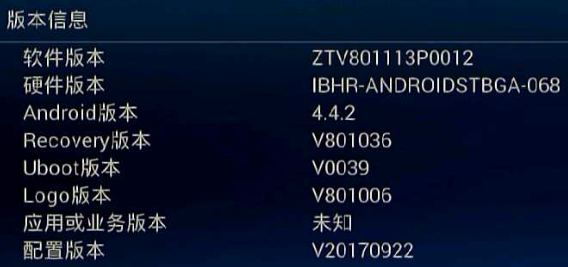
当前的版本
image

刷机步骤
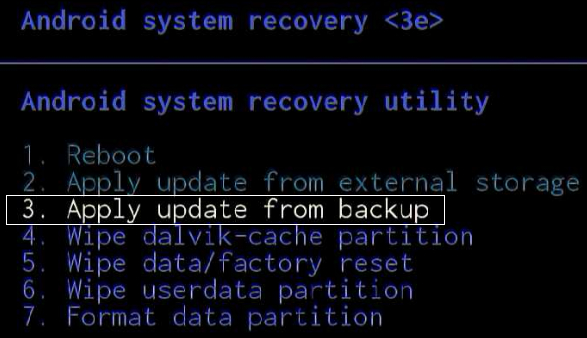
1.开机 交替 反复 快速 按遥控器的左右键
2.选择第三项:apply update from backup
image

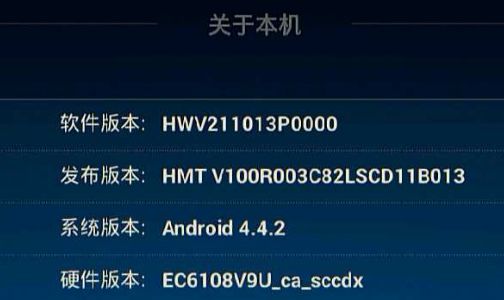
降级后的版本
image

连接WiFi

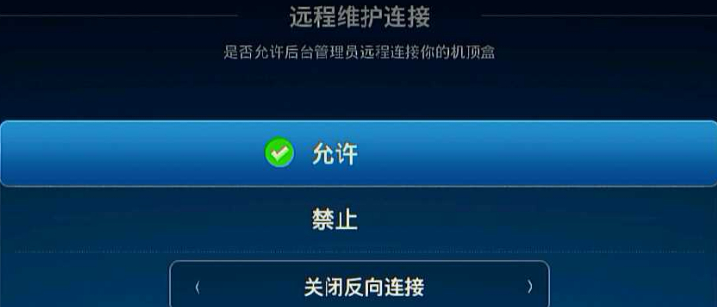
在设置中开启:远程维护连接
image

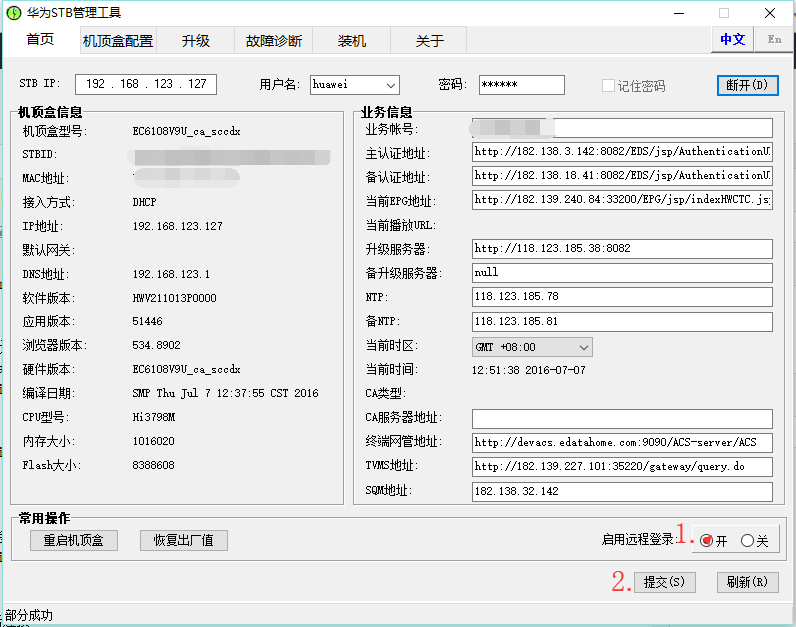
华为stb管理工具
下载链接: https://pan.baidu.com/s/1bpQdQyuvmFblBNFIKRdFJw 提取码: t5xi
输入IP 密码:.287aW 点击连接
image
启用远程登陆,提交

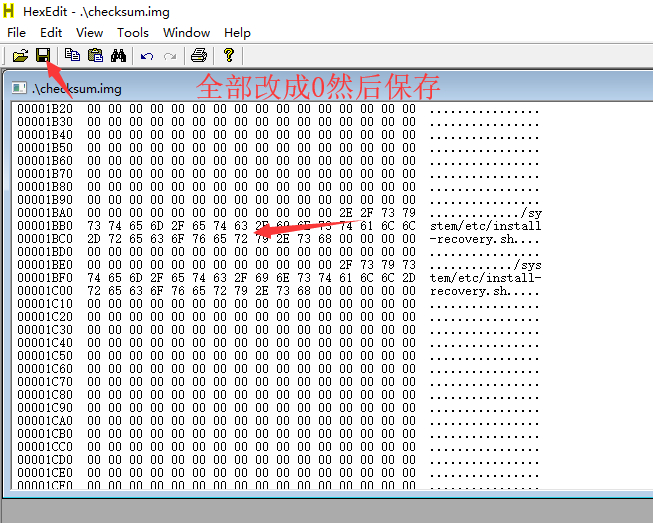
消除无限重启

下载链接: https://pan.baidu.com/s/1vHb3fRyrfPy9wEAMfSDFNQ 提取码: u8jw
image

和谐工具

下载链接: https://pan.baidu.com/s/1IvV3PSM7d-S6loPSa6YSAQ 提取码: xa2m
打开华为悦盒和谐工具集.bat输入IP连接,先6安装沙发桌面,重启测试能否安装app;如不行,再运行选4之后重启。

网线如果连不上网络请使用静态IP
所有资料均来自网络,参考:https://www.znds.com/tv-1029251-1-1.html

说明:电信版r3g

升级为开发版

在小米路由器官网下载开发版固件,在系统升级中升级。

绑定路由器

手机上下载小米路由器app,路由器在没进行任何配置的情况下用app配置并绑定(设置过的恢复出厂在用app配置)。

开启ssh

方法和root密码:http://d.miwifi.com/rom/ssh

刷入不死breed

用WinSCP上传breed-mt7621-xiaomi-r3g.bin到/tmp下
下载地址:https://breed.hackpascal.net/
xshell执行命令
mtd -r write /tmp/breed.bin Bootloader

刷入固件

下载地址(搜索r3g):https://opt.cn2qq.com/padavan/
用牙签等尖锐物按下路由器 reset 按钮后重新接入电源。电脑上输入 192.168.1.1进入不死 Breed 的控制台。
依次选择:固件更新 -> 常规固件 -> 勾选固件复选框 -> 浏览,选择上一步下载好的 Padavan 固件上传,刷入搞定

注意:刷入固件后重启死机不进入路由器系统的需要删除 normal_firmware_md5 参数再上传一次固件。
image

说明:ss-panel-v3使用的SMTP发邮件,之前阿里云国际版用465端口正常,迁移到DigitalOcean不能使用25和465给客服发ticket,得到的回复如下:

[scode type="share"]Thank you for reaching out to us. We're very sorry that you are facing issues with SMTP.

Stopping spam is a constant fight and due to this, your account has restrictions specifically on ports 25 and 465. However, you are be able to send out mail using port 587. You will need to open the port in your firewall.

We realize this is inconvenient, but many customers in your position move their mailing activities to a third party service such as SendGrid or similar which processes such mail separately from their droplet. I'm sorry for the frustration but we're not able to lift these port restrictions at this time.

In terms of a workaround, here are a few alternatives:

  1. Utilize port 587 for SMTP relay via another mail provider, for example G Suite/Gmail, Mailgun, etc. We have a guide on doing so using Postfix here:

https://www.digitalocean.com/community/tutorials/how-to-set-up-a-mail-relay-with-postfix-and-mailgun-on-ubuntu-16-04

  1. Configure your app or service to send mail directly using either a SMTP client connection (typically using port 587), or API call via another mail provider such as Sendgrid, Mailgun, Mandrill, etc.

Please note that with this restriction in place on port 25, mail servers hosted here will be unable to directly relay email to other mail servers, as communication between mail servers typically takes place on port 25.

We think the API is the best solution, as it is honestly more scalable and what we would use if we wanted to "future proof" the project.

Please feel free to reach out to us via this ticket if you have further queries or concerns, we will be around to help you out!

Regards,

Saurabh
Developer Support Specialist - DigitalOcean

(Check out our fantastic community articles: https://www.digitalocean.com/community)[/scode]
所以决定使用Gmail的587来发送邮件。

开启IMAP

1.在计算机上打开 Gmail。
2.点击右上方的“设置”图标。
3.点击转发和 POP/IMAP 标签。
4.在“IMAP 访问”部分,点击启用 IMAP。
5.点击保存更改。

开启安全性较低的应用的访问权限

直达链接:https://myaccount.google.com/lesssecureapps

SMTP设置

发送邮件 (SMTP) 服务器:smtp.gmail.com
要求 SSL:是
要求 TLS:是(如适用)
使用身份验证:是
TLS/STARTTLS 端口:587
完整名称或显示名称:您的姓名
帐号名、用户名或电子邮件地址:您的完整电子邮件地址
密码:您的 Gmail 密码
简介:
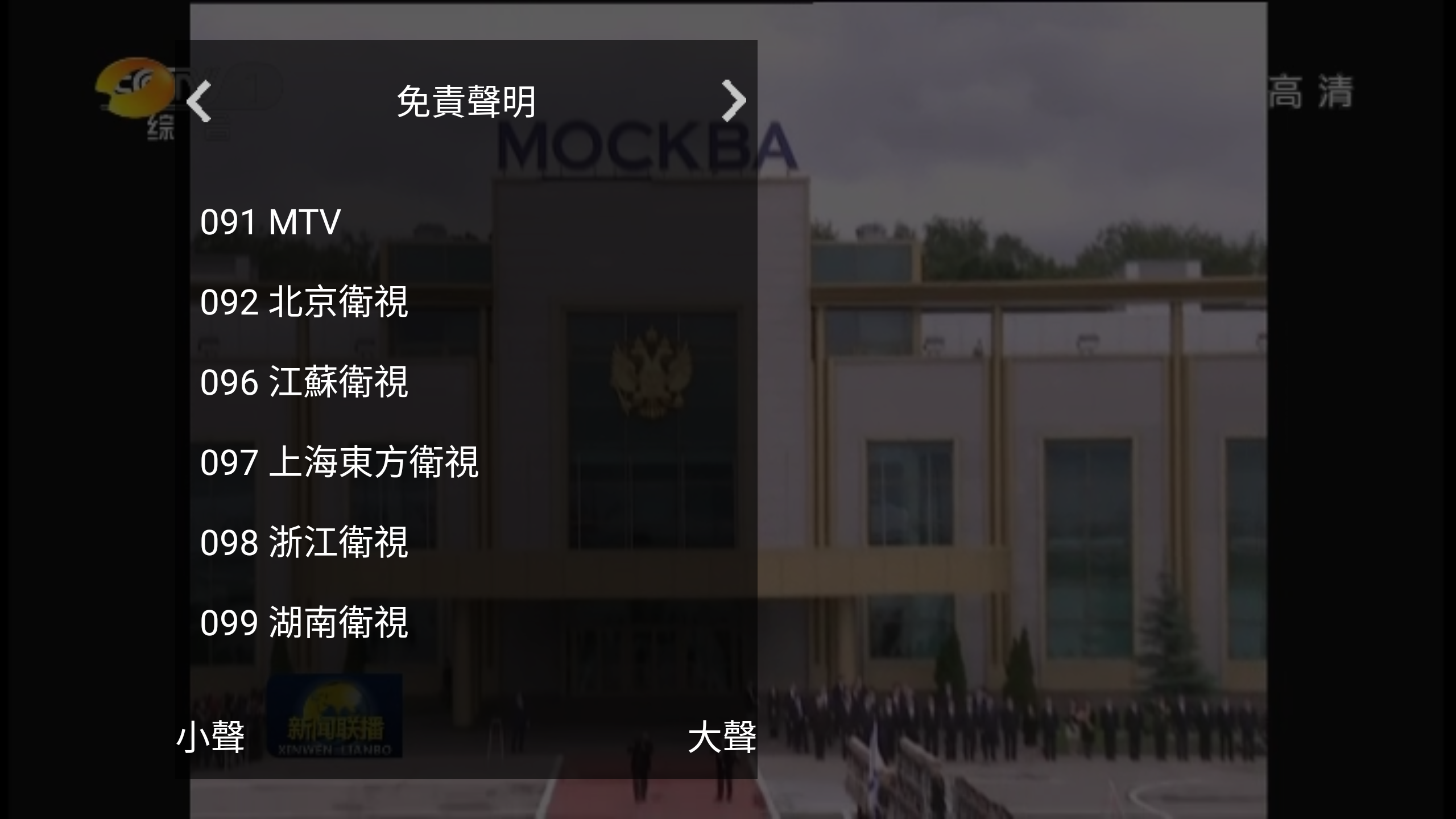
至今中国唯一获得海外互联网电视直播授权的民营企业

官网:
http://www.5itv.tv
有 安卓 ios 版本

image

进入正题,这款app有什么特别之处?
1.稳定。
2.app服务对象:海外华人,也就是有IP限制

国内怎么看?
1.科学上网,全局或者白名单。软件启动后关闭科学上网工具
2.IP走gfwlist

#华文电视
ipset add gfwlist 192.154.104.202
ipset add gfwlist 192.154.103.162

【活动时间】:
即日起准至2018年6月15日

【活动对象】:
成都分行(含二级分行)一网通用户

【活动内容】
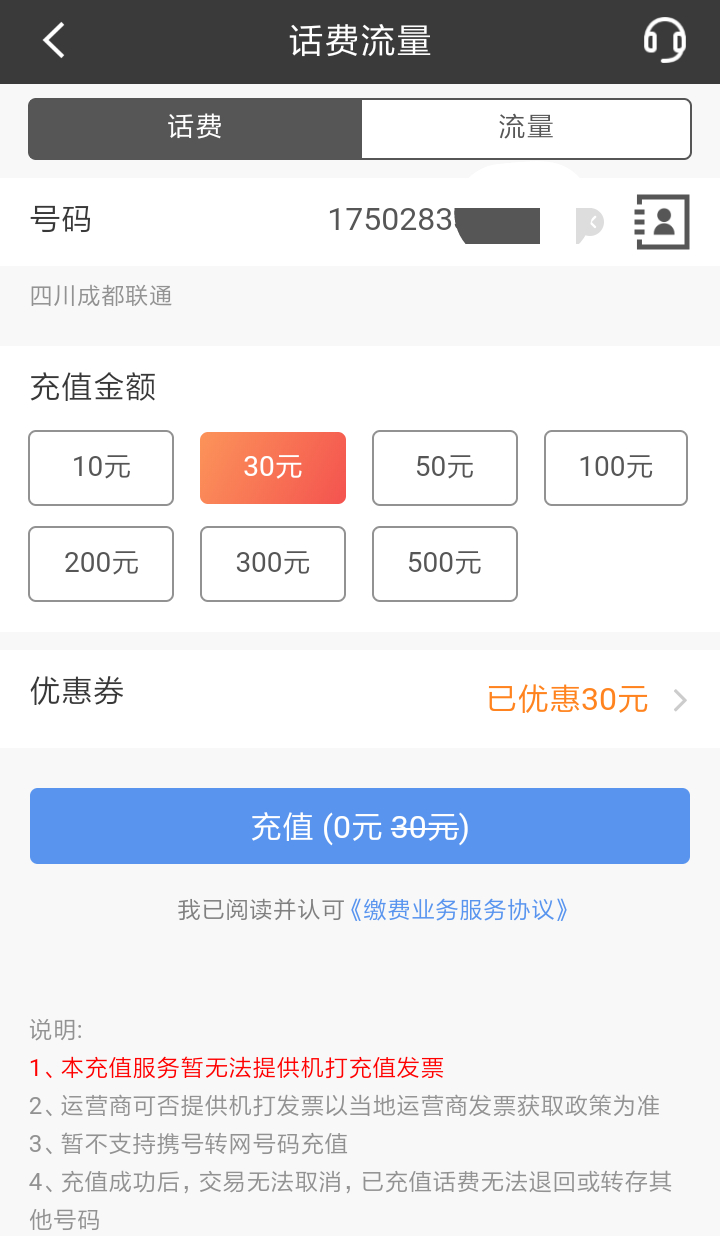
1、活动期间,用户登录招商银行App即可参与抽奖。每人每天仅可抽奖一次,奖品数量有限,先到先得。
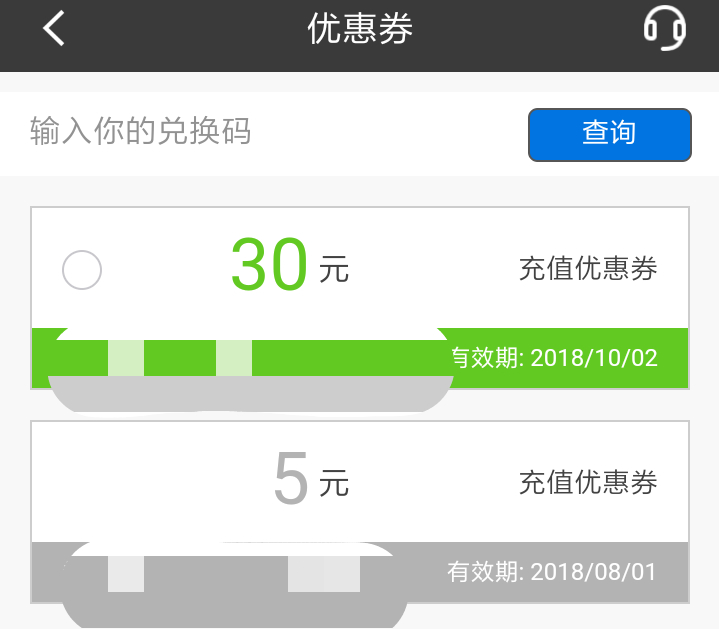
2、手机话费充值抵扣券需在招商银行APP话费流量栏目充值30元及以上金额即可使用,单次充值不可累计使用多张,不兑现,不找零,在抽奖页面点击对应奖品查看详细使用方式。招豆可以在招商银行APP“我的”频道中查看。
3、本活动与苹果公司无关。

招商银行app里面参与活动

上两张图:
image

image