2019年6月28日更新
尝试了一下新的mtg
Github:https://github.com/cutelua/mtg-dist
Github:https://github.com/9seconds/mtg
安装
bash <(wget -qO- https://git.io/mtg.sh)
卸载
systemctl stop mtg && systemctl disable mtg
rm -f /usr/local/bin/mtg /lib/systemd/system/mtg.service /etc/mtg.conf
参考:https://sunpma.com/151.html
--------------分割线-------------
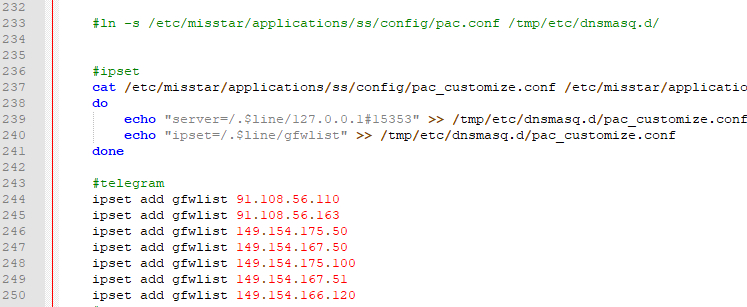
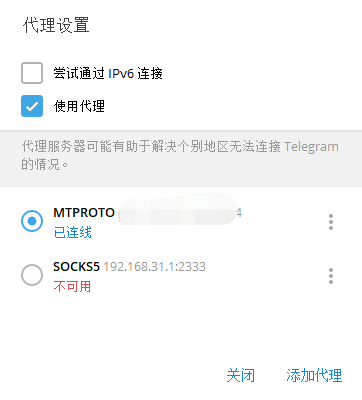
mt工具箱里的科学上网不智能,gfwlist模式很多网站都无效,暂时没找到解决办法。最近开始用的telegram也不能愉快的聊天,有现成工具就搭了个mtproto
逗逼一键脚本
#CentOS 7 / Debian 7+ / Ubuntu 14.04 +
wget -N --no-check-certificate https://raw.githubusercontent.com/ToyoDAdoubi/doubi/master/mtproxy.sh && chmod +x mtproxy.sh && bash mtproxy.sh
阿里云centos7亲测失败,顺便贴个错误日志,Debian8成功安装
[信息] 开始安装/配置 依赖...
Loaded plugins: fastestmirror
Loading mirror speeds from cached hostfile
No packages marked for update
Loaded plugins: fastestmirror
Loading mirror speeds from cached hostfile
Package 1:openssl-devel-1.0.2k-12.el7.x86_64 already installed and latest version
Package zlib-devel-1.2.7-17.el7.x86_64 already installed and latest version
Package git-1.8.3.1-14.el7_5.x86_64 already installed and latest version
Package net-tools-2.0-0.22.20131004git.el7.x86_64 already installed and latest version
Nothing to do
Loaded plugins: fastestmirror
Loading mirror speeds from cached hostfile
Maybe run: yum groups mark install (see man yum)
No packages in any requested group available to install or update
cp: ‘/usr/share/zoneinfo/Asia/Shanghai’ and ‘/etc/localtime’ are the same file
[信息] 开始下载/安装...
Cloning into 'MTProxy'...
remote: Enumerating objects: 183, done.
remote: Total 183 (delta 0), reused 0 (delta 0), pack-reused 183
Receiving objects: 100% (183/183), 293.80 KiB | 281.00 KiB/s, done.
Resolving deltas: 100% (74/74), done.
cc  -O3 -std=gnu11 -Wall -mpclmul -march=core2 -mfpmath=sse -mssse3 -fno-strict-aliasing -fno-strict-overflow -fwrapv -DAES=1 -DCOMMIT=\"f9158e3129efd4ccdc291aefb840209791226a77\" -D_GNU_SOURCE=1 -D_FILE_OFFSET_BITS=64 -iquote common -iquote . -c -MP -MD -MF dep/mtproto/mtproto-proxy.d -MQ objs/mtproto/mtproto-proxy.o -o objs/mtproto/mtproto-proxy.o mtproto/mtproto-proxy.c
make: cc: Command not found
make: *** [objs/mtproto/mtproto-proxy.o] Error 127
[错误] MTProxy 编译失败!
另外,如果在上面几行看到 xxxxx option "-std=gnu11" 字样,说明是系统版本过低,请尝试更换系统重试!
rm -rf objs dep objs/bin || true
参考:https://doub.io/shell-jc7/