前言
1.什么是LLMP(Linux + Lighttpd + MySQL + PHP )类似于lamp或lnmp,建站神器
2.路由器已经开启ssh
工具
1.putty或同类型软件
2.llmp插件 来自:http://www.miui.com/thread-1842334-1-1.html
下载链接: https://pan.baidu.com/s/1hr9KD04 密码: 7pxu
安装LLMP
1.将 llmp_install.bin in 复制到小米路由器硬盘根目录
2.putty登陆并执行以下命令
chmod +x /userdisk/data/llmp_install.bin&&/userdisk/data/llmp_install.bin in
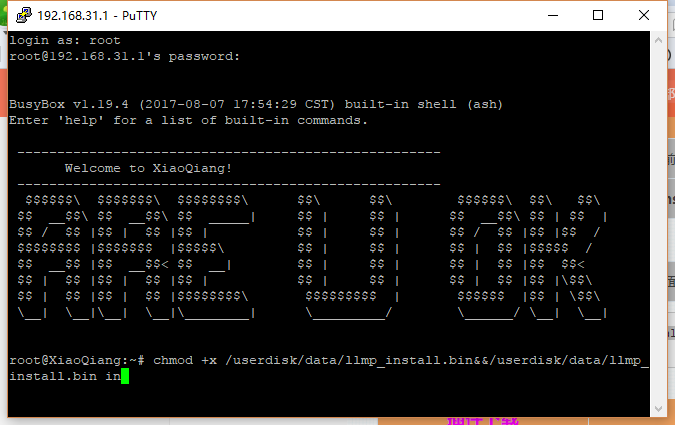
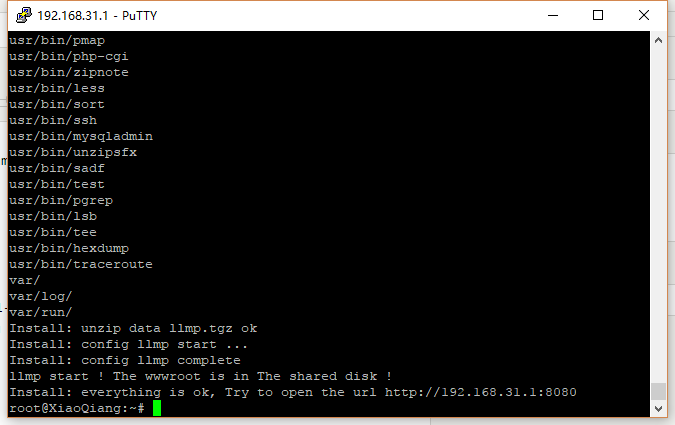
3.等待安装完成,打开http://192.168.31.1:8080/测试
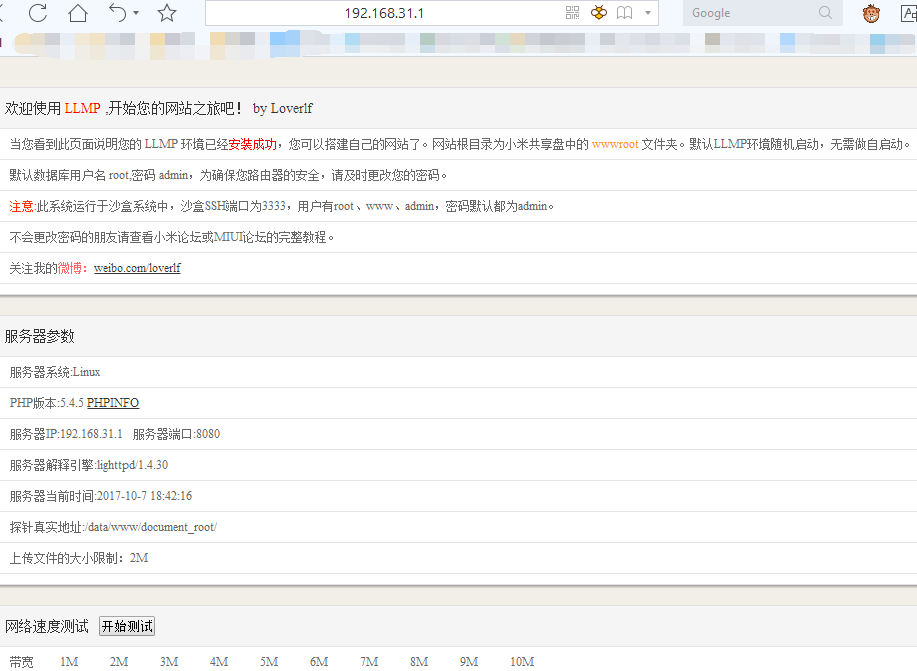
4.网页正常显示即安装成功
5.添加开机启动 putty或winscp修改/etc/rc.local文件,在exit 0之前添加一行
sh /userdisk/llmp/manager/start_llmp.sh
其他事项
1.网站目录在小米路由器硬盘的根目录下的wwwroot文件夹
2.默认数据库用户名 root,密码 admin
3.系统运行于沙盒系统中,沙盒SSH端口为3333,用户有root、www、admin,密码默认都为admin
4.修改数据库密码,newpasswd为新密码,请自行替换mysqladmin -u root -p password newpasswd
执行命令后要求输入旧密码(admin)即可
5.创建数据库,blog是创建的数据库名称,请自行替换mysqladmin -u root -p create blog
要求输入密码,请输入修改之后的密码
6.如果需要修复:SSH到路由器22端口,执行sh /userdisk/llmp/manager/llmp_fix.sh
安装typecho
1.typecho下载 稳定版为 1.0 (14.10.10),并解压到wwwroot内
https://github.com/typecho/typecho/releases/download/v1.0-14.10.10-release/1.0.14.10.10.-release.tar.gz
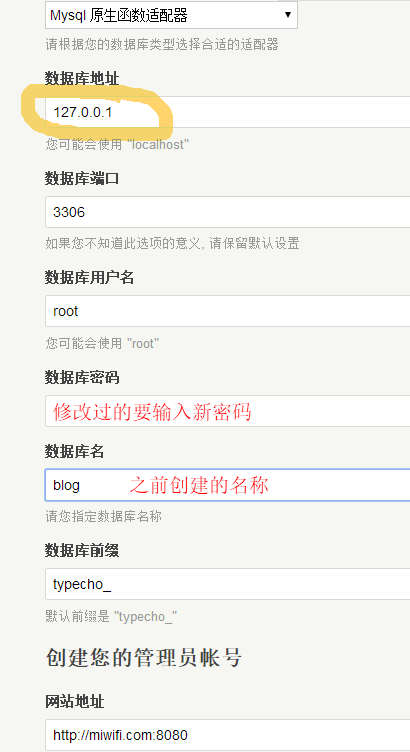
2.访问192.168.31.1:8080安装,注意 数据库地址:127.0.0.1 ,不出意外提示安装完成
3.只能访问主页,f12可以看出是端口的原因。https://segmentfault.com/q/1010000008401554
修改var/typecho/request.php文件218行开始
    public static function getUrlPrefix()
    {
        if (empty(self::$_urlPrefix)) {
            self::$_urlPrefix = (self::isSecure() ? 'https' : 'http')
                . '://' . (isset($_SERVER['HTTP_HOST']) ? $_SERVER['HTTP_HOST'] : $_SERVER['SERVER_NAME'])
               // . (in_array($_SERVER['SERVER_PORT'], array(80, 443)) ? '' : ':' . $_SERVER['SERVER_PORT']);
                ;
        }

        return self::$_urlPrefix;
    }



