标签 r2d 下的文章

说明:
使用环境
小米路由器r2d
工具箱mixbox ssh安装地址:sh -c "$(curl -kfsSl https://dev.tencent.com/u/monlor/p/MIXBOX/git/raw/master/install.sh)" && source /etc/profile &> /dev/null

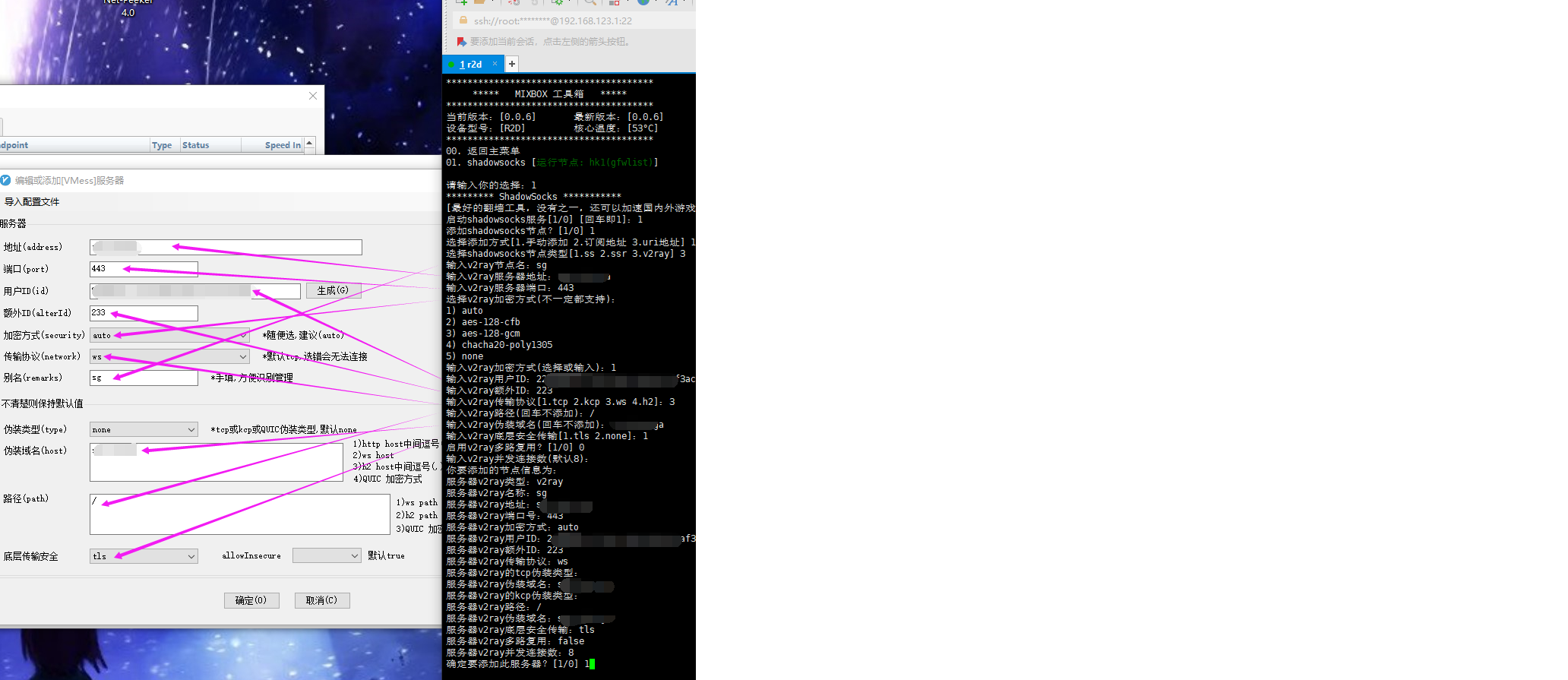
v2ray设置

不支持订阅
不支持导入
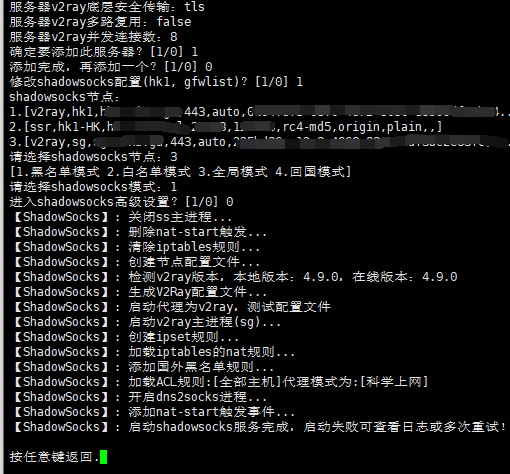
手动添加节点
mixbox-v2ray.png

照着电脑上的客户端粘贴进去
v2ray.png

模式只能使用黑名单
愉快的玩耍吧

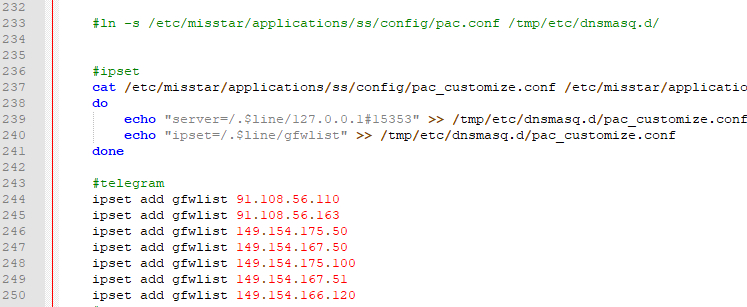
1.小米路由器r2d中 使用 mt工具箱3.0 的gfwlist模式,telegram不能直接连接。

2.当前通过netpeeker软件看到的IP如下:

ipset add gfwlist 91.108.56.110
ipset add gfwlist 91.108.56.163
ipset add gfwlist 149.154.175.50
ipset add gfwlist 149.154.167.50
ipset add gfwlist 149.154.175.100
ipset add gfwlist 149.154.167.51
ipset add gfwlist 149.154.166.120

3.修改工具箱中ss脚本
vi /etc/misstar/applications/ss/script/ss
添加到start函数末尾

start()
{
#此处为添加的内容
/etc/init.d/dnsmasq restart
}

4.给权限
chmod +x /etc/misstar/applications/ss/script/ss

image

参考:
https://laoyur.com/archives/267
https://gist.github.com/lanceliao/3099caed8750911dfe58

基本介绍

路由器:r2d
工具箱:Misstar Tools 版本:3.18.09.10
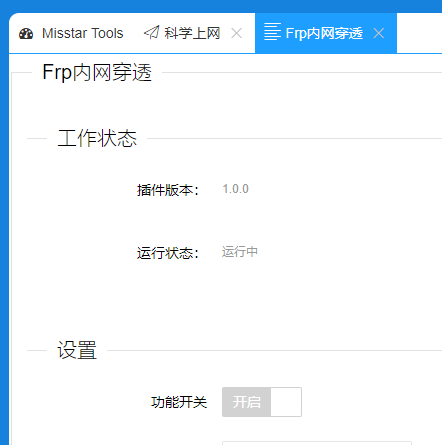
插件:frp
故障描述:frp无法正常启动,本人菜鸟,无法获取更多的错误信息,工具箱群里问了下没人回,还好搜索有解决办法,就搬过来了。

更新路由器中的frp

1.下载最新版frp:https://github.com/fatedier/frp/releases
当前的最新版下载地址:https://github.com/fatedier/frp/releases/download/v0.21.0/frp_0.21.0_linux_arm.tar.gz

2.解压下载的文件,替换/data/etc/misstar/applications/frp/bin中的frpc

3.更改frp配置信息
vi /data/etc/misstar/applications/frp/script/frp #编辑配置文件
修改第32行echo "privilege_token = "$privilege_token >> /etc/misstar/applications/frp/config/frpc.confecho "token = "$privilege_token >> /etc/misstar/applications/frp/config/frpc.conf
在下一行增加两行frpc运行时生成日志,方便出问题时的排查:

    echo >> /etc/misstar/applications/frp/config/frpc.conf
    echo "log_file = /etc/misstar/applications/frp/bin/frpc.log" >> /etc/misstar/applications/frp/config/frpc.conf

文件最后加上restart 的脚本

restart(){
        stop; sleep 2; start
}

赋予执行权限:chmod +x /data/etc/misstar/applications/frp/script/frp
[工具箱配置完成后]试一下看能不能启动 frpc:./frp start

更新服务端frp

./install-frps.sh update
我当时路由器用最新版 而vps用0.16.0的时候就会出现这样的错误login to server failed: EOF

image

参考:http://bbs.xiaomi.cn/t-32690007

r2d的当前版本2.25.201,发现mt工具箱打开失效了,显示:

No page is registered at '/web/misstar/index' .

If this url belongs to an extension, make sure it is properly installed.

If the extension was recently installed, try removing the /tmp/luci-indexcache file.

查找有现成的方法,就搬过来了
1、ssh方root用户登录路由器后台;
2、执行命令:
vi /usr/lib/lua/luci/controller/web/index2.lua
3、加入如下内容:

module("luci.controller.web.index2", package.seeall) 
function index()      
     local page   = node("web","misstar")          
     page.target  = firstchild()         
     page.title   = ("")          
     page.order   = 100          
     page.sysauth = "admin"          
     page.sysauth_authenticator = "jsonauth"          
     page.index = true          
     entry({"web", "misstar", "index"}, template("web/setting/misstar/index"), _("Tools"), 81)          
     entry({"web", "misstar", "add"}, template("web/setting/misstar/add"), _("Tools"), 82)          
     entry({"web", "misstar"}, alias("web","misstar","index"), _("Tools"), 80)          
     entry({"web", "misstar", "ss"}, template("web/setting/applications/ss/html/ss"), _("Tools"), 85)          
     entry({"web", "misstar","frp"}, template("web/setting/applications/frp/html/frp"), _("Tools"), 85)          
     entry({"web", "misstar","aliddns"}, template("web/setting/applications/aliddns/html/aliddns"), _("Tools"), 85)  
     entry({"web", "misstar","adm"}, template("web/setting/applications/adm/html/adm"), _("Tools"), 85)    
     entry({"web", "misstar","koolproxy"}, template("web/setting/applications/koolproxy/html/koolproxy"), _("Tools"), 85)
     entry({"web", "misstar","rm"}, template("web/setting/applications/rm/html/rm"), _("Tools"), 85)
     entry({"web", "misstar","aria2"}, template("web/setting/applications/aria2/html/aria2"), _("Tools"), 85) 
     entry({"web", "misstar","webshell"}, template("web/setting/applications/webshell/html/webshell"), _("Tools"), 85)
     entry({"web", "misstar","pptpd"}, template("web/setting/applications/pptpd/html/pptpd"), _("Tools"), 85)  
     entry({"web", "misstar","ftp"}, template("web/setting/applications/ftp/html/ftp"), _("Tools"), 85)
     entry({"web", "misstar","kms"}, template("web/setting/applications/kms/html/kms"), _("Tools"), 85)  
end

4、执行清理缓存命令:
rm -rf /tmp/luci-indexcache

参考:http://www.cmliu.net/?id=78
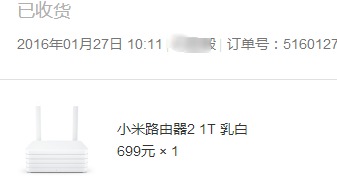
我自用的路由器是小米的r2d,当时699的价格还是心痛的,用了1年多了,没出什么毛病。
16年买的小米路由器2

在tc科学上网是必不可少的,之前用的年付vpn,好像是158/年,green vpn家的。到期了觉得没必要就没续费了,之后发现Shadowsocks兴起了,还出现了很多的免费ss。才发现Shadowsocks是个好东西,到处都在推荐白菜价的vps自己搭,看着评论说效果不好,我迟迟没有下手,用着dalao们分享的ss。

废话说了一大篇了,现在开始入正题,手机和电脑上要科学上网都要开着程序代理,然后就想在路由器端搞定,就不用每个设备再单独开代理了。以下是以我的小米路由器2为例,适用于小米路由器1/2/3

开启路由器的ssh

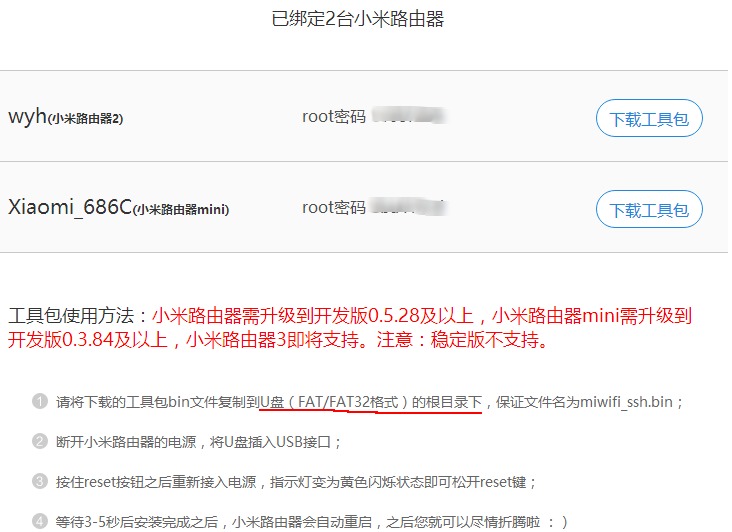
访问http://d.miwifi.com/rom/ssh,登录自己的小米帐号,按照说明步骤获得高级管理权限。
开启路由器的ssh

注意需要开发版rom

安装misstar tools

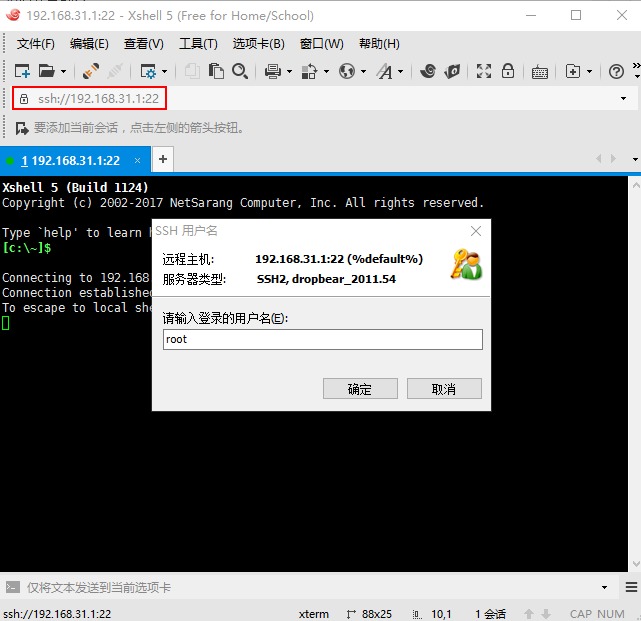
  1. 用 Xshell 5 连接到路由器,默认的地址是192.168.31.1,用户名是root,密码在之前的页面上可以看到。
    ssh连接小米路由器
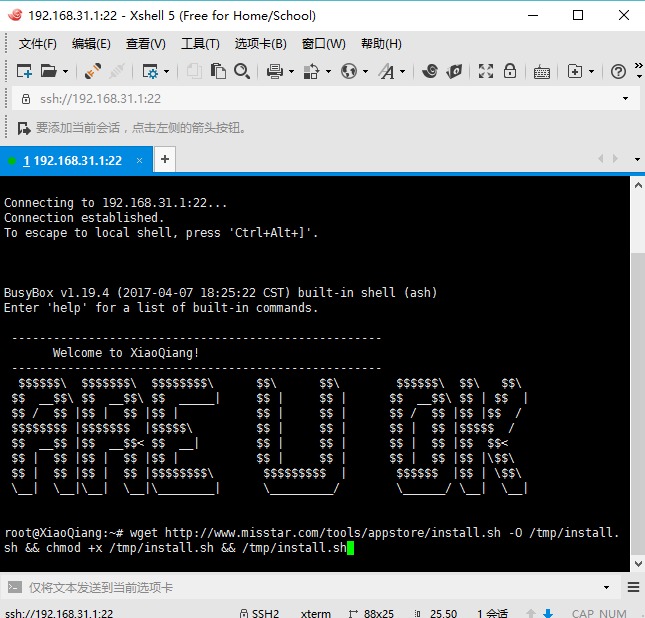
  2. 在对话框粘贴以下代码回车安装misstar tools插件
wget http://www.misstar.com/tools/appstore/install.sh -O /tmp/install.sh && chmod +x /tmp/install.sh && /tmp/install.sh

安装misstar tools

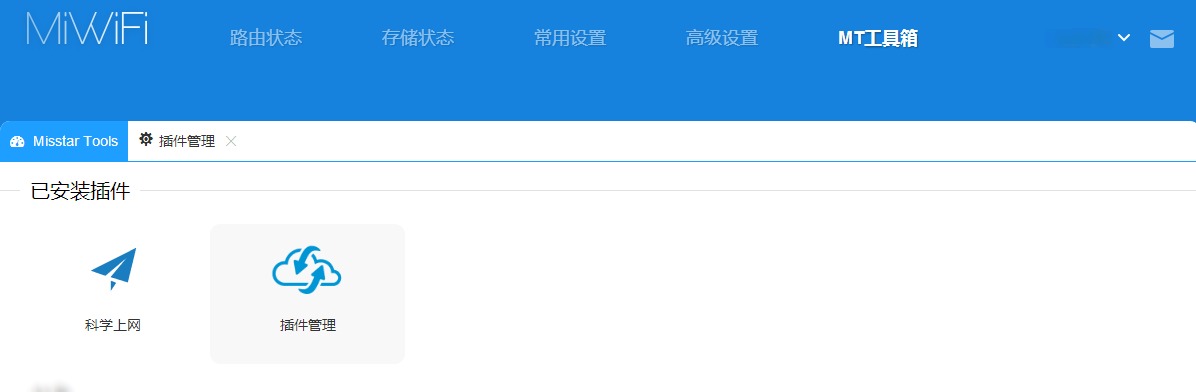
  1. 在路由器后台找到MT工具箱,打开插件管理,添加科学上网,填写好帐号信息就可以正常使用了。
    科学上网

该插件支持导入电脑的ss帐号信息,支持自定义gfwlist,更多的类容自己研究吧。