荷兰 v.ps 2核 1G 20G SSD
买
垃圾别买 说是G口 1T没跑到就限速
2021黑五永久5折优惠码:CIV1EF9OYXY(永久优惠50%,每用户限1台)
vps.hosting
测速
小鸡内测速
三网测速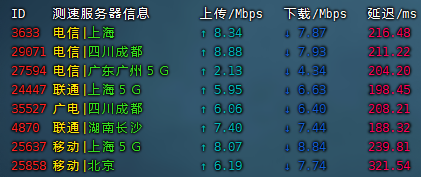
iperf3
移动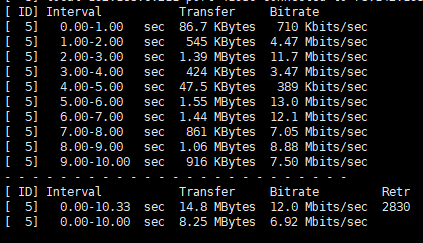
电信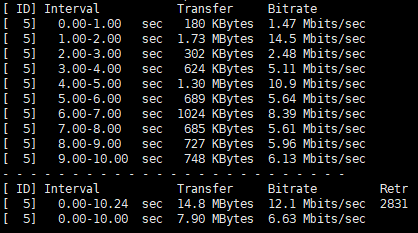
联通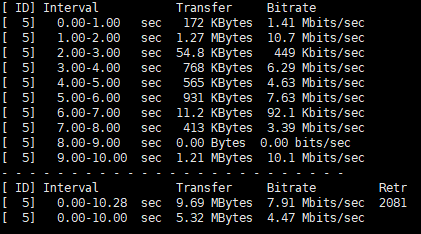
回程路由
联通4837
联通9929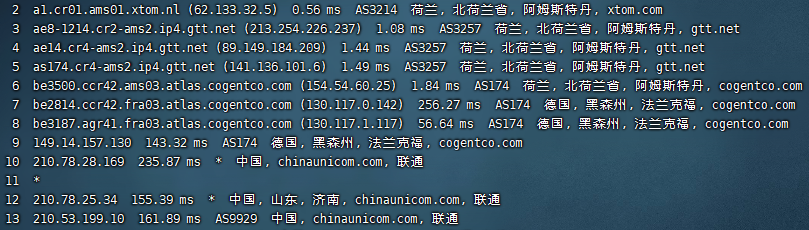
电信
移动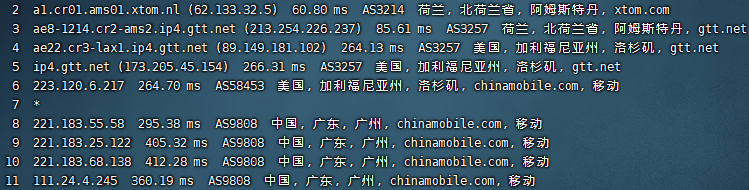
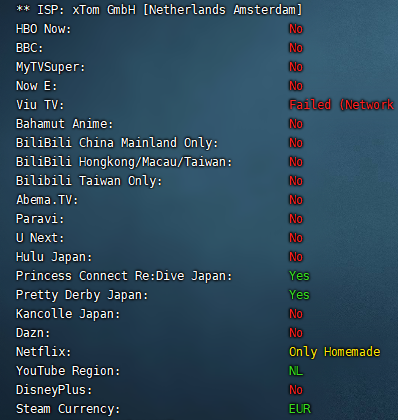
流媒体解锁
垃圾别买 说是G口 1T没跑到就限速
2021黑五永久5折优惠码:CIV1EF9OYXY(永久优惠50%,每用户限1台)
vps.hosting
小鸡内测速
三网测速
移动
电信
联通
联通4837
联通9929
电信
移动
https://docs.v2board.com/deploy/aapanel.html
按照官方教程操作
避免出现问题 最好使用全新重装的系统按步骤操作 大佬随意
出现玄学的问题reboot重启vps也许就解决了
每次修改 .env 文件后需要执行以下命令重建缓存php artisan config:cache
500错误尝试重新给予目录权限 在站点域名目录下执行chown -R www:www *
#一键脚本
curl -L -s https://raw.githubusercontent.com/ColetteContreras/v2ray-poseidon/master/install-release.sh | bash
#删除配置文件
rm /etc/v2ray/config.json
编辑配置文件
vi /etc/v2ray/config.json
重启v2ray
service v2ray restart
传输协议 伪装域名和路径的配置示例
{
    "path": "/路径",
    "headers": {
      "Host": "域名"
    }
}
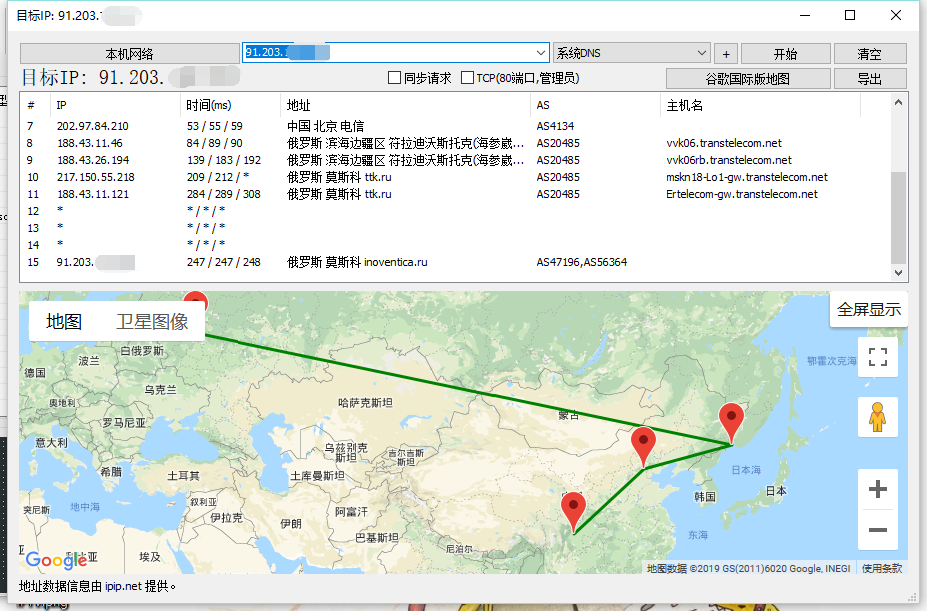
俄罗斯 莫斯科vps 512M内存 5g硬盘 无限流量 ipv4 ipv6 KVM
PayPal实付 53.45RUB 约 5.69rmb
开启bbr
v2ray mkcp协议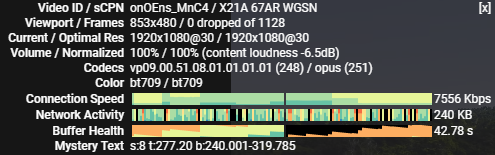
路由器:r2d
工具箱:Misstar Tools 版本:3.18.09.10
插件:frp
故障描述:frp无法正常启动,本人菜鸟,无法获取更多的错误信息,工具箱群里问了下没人回,还好搜索有解决办法,就搬过来了。
1.下载最新版frp:https://github.com/fatedier/frp/releases
当前的最新版下载地址:https://github.com/fatedier/frp/releases/download/v0.21.0/frp_0.21.0_linux_arm.tar.gz
2.解压下载的文件,替换/data/etc/misstar/applications/frp/bin中的frpc
3.更改frp配置信息vi /data/etc/misstar/applications/frp/script/frp #编辑配置文件
修改第32行echo "privilege_token = "$privilege_token >> /etc/misstar/applications/frp/config/frpc.conf为echo "token = "$privilege_token >> /etc/misstar/applications/frp/config/frpc.conf
在下一行增加两行frpc运行时生成日志,方便出问题时的排查:
    echo >> /etc/misstar/applications/frp/config/frpc.conf
    echo "log_file = /etc/misstar/applications/frp/bin/frpc.log" >> /etc/misstar/applications/frp/config/frpc.conf
文件最后加上restart 的脚本
restart(){
        stop; sleep 2; start
}赋予执行权限:chmod +x /data/etc/misstar/applications/frp/script/frp
[工具箱配置完成后]试一下看能不能启动 frpc:./frp start
./install-frps.sh update
我当时路由器用最新版 而vps用0.16.0的时候就会出现这样的错误login to server failed: EOF
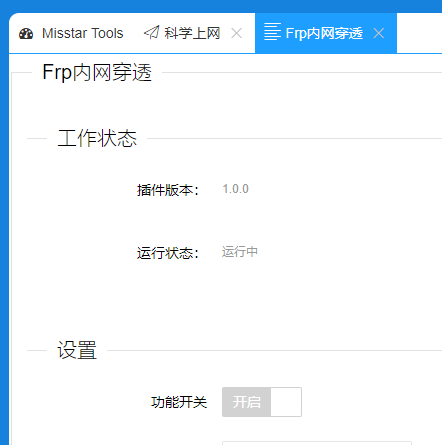
安装很久之后忘了frp当时的配置信息怎么办?
登陆vps即可查看
命令1:
./install-frps.sh config命令2:
vi /usr/local/frps/frps.ini微软 Microsoft Azure vps centos
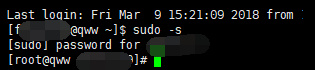
用以下命令:sudo -s
Linux的网络和IO测试
1.wget -qO- bench.sh | bash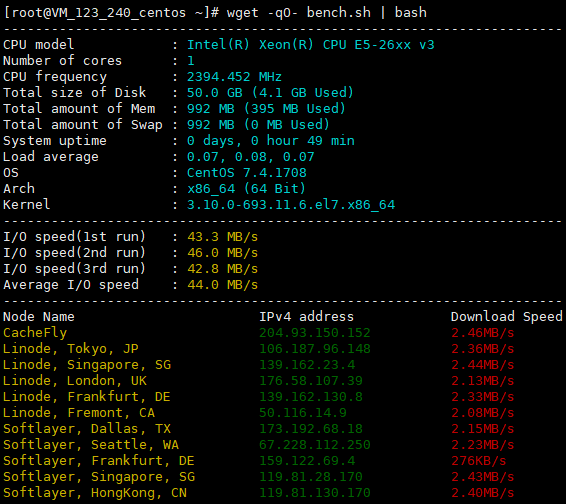
2.wget -qO- https://raw.githubusercontent.com/oooldking/script/master/superbench.sh | bash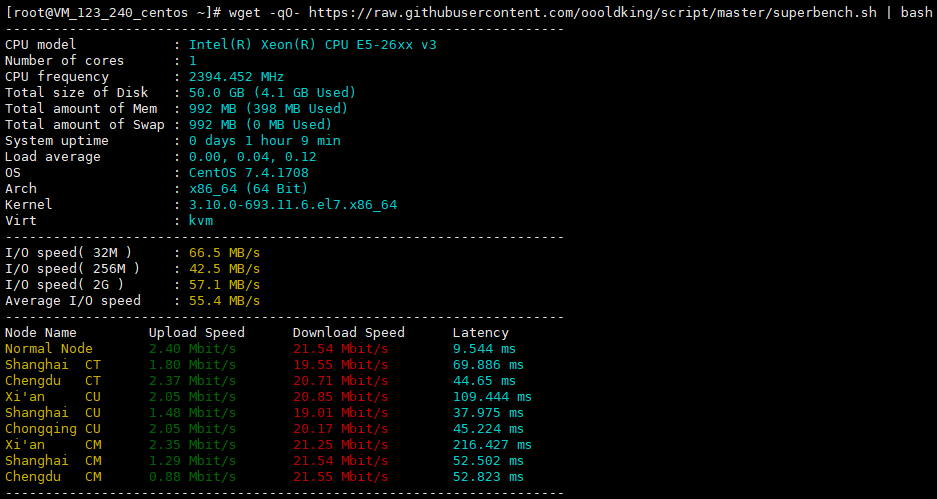
同一个vps,结果还是有差距的,仅供参考吧。


