标签 阿里云 下的文章

说明:买的阿里云国内学生机,一年114.开通后第一件事当然是重装。装完后发现国外源"snapshot.debian.org"特别慢,遂换成国内的。
VPS一键重装Debian系统

更换步骤

vi /etc/apt/sources.list
加#注释掉原来的,并添加阿里云源地址

deb http://mirrors.aliyun.com/debian stretch main contrib non-free
deb-src http://mirrors.aliyun.com/debian stretch main contrib non-free
deb http://mirrors.aliyun.com/debian stretch-updates main contrib non-free
deb-src http://mirrors.aliyun.com/debian stretch-updates main contrib non-free
deb http://mirrors.aliyun.com/debian-security stretch/updates main contrib non-free
deb-src http://mirrors.aliyun.com/debian-security stretch/updates main contrib non-free

stretch可以替换成jessie或者wheezy
保存后执行
apt-get update

参考:
http://ningxy.cn/Debian%209%20%E6%8D%A2%E9%98%BF%E9%87%8C%E5%8C%85%E6%BA%90.html
说明:ss-panel-v3使用的SMTP发邮件,之前阿里云国际版用465端口正常,迁移到DigitalOcean不能使用25和465给客服发ticket,得到的回复如下:

[scode type="share"]Thank you for reaching out to us. We're very sorry that you are facing issues with SMTP.

Stopping spam is a constant fight and due to this, your account has restrictions specifically on ports 25 and 465. However, you are be able to send out mail using port 587. You will need to open the port in your firewall.

We realize this is inconvenient, but many customers in your position move their mailing activities to a third party service such as SendGrid or similar which processes such mail separately from their droplet. I'm sorry for the frustration but we're not able to lift these port restrictions at this time.

In terms of a workaround, here are a few alternatives:

  1. Utilize port 587 for SMTP relay via another mail provider, for example G Suite/Gmail, Mailgun, etc. We have a guide on doing so using Postfix here:

https://www.digitalocean.com/community/tutorials/how-to-set-up-a-mail-relay-with-postfix-and-mailgun-on-ubuntu-16-04

  1. Configure your app or service to send mail directly using either a SMTP client connection (typically using port 587), or API call via another mail provider such as Sendgrid, Mailgun, Mandrill, etc.

Please note that with this restriction in place on port 25, mail servers hosted here will be unable to directly relay email to other mail servers, as communication between mail servers typically takes place on port 25.

We think the API is the best solution, as it is honestly more scalable and what we would use if we wanted to "future proof" the project.

Please feel free to reach out to us via this ticket if you have further queries or concerns, we will be around to help you out!

Regards,

Saurabh
Developer Support Specialist - DigitalOcean

(Check out our fantastic community articles: https://www.digitalocean.com/community)[/scode]
所以决定使用Gmail的587来发送邮件。

开启IMAP

1.在计算机上打开 Gmail。
2.点击右上方的“设置”图标。
3.点击转发和 POP/IMAP 标签。
4.在“IMAP 访问”部分,点击启用 IMAP。
5.点击保存更改。

开启安全性较低的应用的访问权限

直达链接:https://myaccount.google.com/lesssecureapps

SMTP设置

发送邮件 (SMTP) 服务器:smtp.gmail.com
要求 SSL:是
要求 TLS:是(如适用)
使用身份验证:是
TLS/STARTTLS 端口:587
完整名称或显示名称:您的姓名
帐号名、用户名或电子邮件地址:您的完整电子邮件地址
密码:您的 Gmail 密码

2019年6月28日更新
尝试了一下新的mtg
Github:https://github.com/cutelua/mtg-dist
Github:https://github.com/9seconds/mtg

安装
bash <(wget -qO- https://git.io/mtg.sh)

卸载

systemctl stop mtg && systemctl disable mtg
rm -f /usr/local/bin/mtg /lib/systemd/system/mtg.service /etc/mtg.conf

参考:https://sunpma.com/151.html

--------------分割线-------------

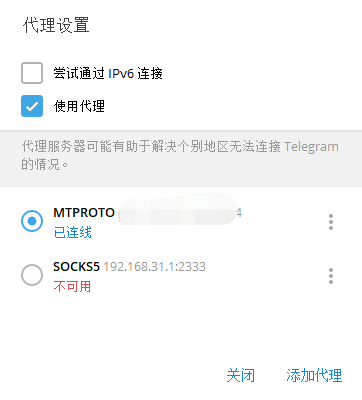
mt工具箱里的科学上网不智能,gfwlist模式很多网站都无效,暂时没找到解决办法。最近开始用的telegram也不能愉快的聊天,有现成工具就搭了个mtproto

逗逼一键脚本

#CentOS 7 / Debian 7+ / Ubuntu 14.04 + 
wget -N --no-check-certificate https://raw.githubusercontent.com/ToyoDAdoubi/doubi/master/mtproxy.sh && chmod +x mtproxy.sh && bash mtproxy.sh

阿里云centos7亲测失败,顺便贴个错误日志,Debian8成功安装

[信息] 开始安装/配置 依赖...
Loaded plugins: fastestmirror
Loading mirror speeds from cached hostfile
No packages marked for update
Loaded plugins: fastestmirror
Loading mirror speeds from cached hostfile
Package 1:openssl-devel-1.0.2k-12.el7.x86_64 already installed and latest version
Package zlib-devel-1.2.7-17.el7.x86_64 already installed and latest version
Package git-1.8.3.1-14.el7_5.x86_64 already installed and latest version
Package net-tools-2.0-0.22.20131004git.el7.x86_64 already installed and latest version
Nothing to do
Loaded plugins: fastestmirror
Loading mirror speeds from cached hostfile
Maybe run: yum groups mark install (see man yum)
No packages in any requested group available to install or update
cp: ‘/usr/share/zoneinfo/Asia/Shanghai’ and ‘/etc/localtime’ are the same file
[信息] 开始下载/安装...
Cloning into 'MTProxy'...
remote: Enumerating objects: 183, done.
remote: Total 183 (delta 0), reused 0 (delta 0), pack-reused 183
Receiving objects: 100% (183/183), 293.80 KiB | 281.00 KiB/s, done.
Resolving deltas: 100% (74/74), done.
cc  -O3 -std=gnu11 -Wall -mpclmul -march=core2 -mfpmath=sse -mssse3 -fno-strict-aliasing -fno-strict-overflow -fwrapv -DAES=1 -DCOMMIT=\"f9158e3129efd4ccdc291aefb840209791226a77\" -D_GNU_SOURCE=1 -D_FILE_OFFSET_BITS=64 -iquote common -iquote . -c -MP -MD -MF dep/mtproto/mtproto-proxy.d -MQ objs/mtproto/mtproto-proxy.o -o objs/mtproto/mtproto-proxy.o mtproto/mtproto-proxy.c
make: cc: Command not found
make: *** [objs/mtproto/mtproto-proxy.o] Error 127
[错误] MTProxy 编译失败!
另外,如果在上面几行看到 xxxxx option "-std=gnu11" 字样,说明是系统版本过低,请尝试更换系统重试!
rm -rf objs dep objs/bin || true

image

参考:https://doub.io/shell-jc7/

简介

5hadow5ocksR 多用户版服务端安装记录(S*S-Panel后端)

安装环境

1.centos 7.3
2.阿里云国际版sg

基本库安装

yum update
yum install git -y

获取源代码

git clone -b manyuser https://github.com/ToyoDAdoubi/shadowsocksr.git

注意:根目录的是多用户版(即数据库版)[shadowsocksr];子目录中的是单用户版[shadowsocksr/shadowsocksr]

安装依赖(cymysql)

cd shadowsocksr
# 进入ShadowsocksR根目录
bash setup_cymysql.sh
# 安装Cymysql 依赖
bash initcfg.sh
# 初始化ShadowsocksR服务端

服务端配置

shadowsocksr 根目录内,打开文件vi usermysql.json,输入i进入编辑状态,esc退出编辑,:wq保存退出

"host": "127.0.0.1", //前端mysql域名/IP
"port": 3306, //mysql端口
"user": "ss", //mysql用户名
"password": "pass", //mysql密码
"db": "shadowsocks", //数据库名

注意:host如果在其他主机,要添加本机的访问权限。

配置文件config.json

一般情况下不需要编辑,除非你需要修改 加密方式/协议/混淆等参数。

vi user-config.json

注意:新版ShadowsocksR服务端的 默认加密方式为 aes-128-ctr ,大家注意一下。
"method":"aes-128-ctr", //修改成您要的加密方式的名称
"protocol": "auth_aes128_md5", //修改成您要的协议插件名称
"obfs": "tls1.2_ticket_auth_compatible", //修改成您要的混淆插件名称

服务端运行与停止

python server.py

这句运行代码主要用于调试,关闭ssh后ss后端自动关闭,所以正式使用请使用下面的脚本运行!
如果需要停止请按Ctrl+C键终止程序。

firewall(centos7)的防火墙配置

服务端没有错误,而连接不上,需要检查iptables或firewall(centos7)的防火墙配置

systemctl stop firewalld.service #停止firewall
systemctl disable firewalld.service #禁止firewall开机启动

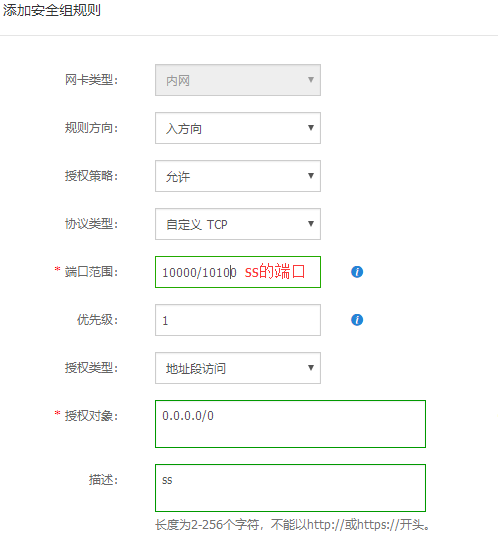
添加安全组规则

1.阿里云控制台中实例选择“管理”
2.依次点击“本实例安全组”=>“配置规则”=>“添加安全组规则”
3.把s*s端口添加进去
image

开机启动

chmod +x /etc/rc.d/rc.local
#首先设置开机启动文件的权限
vi /etc/rc.d/rc.local
#编辑文件,按i进入编辑模式
bash /root/shadowsocksr/run.sh
#添加开机启动命令,按esc退出编辑模式,输入 :wq 保存退出

来源:https://doub.io/ss-jc14/

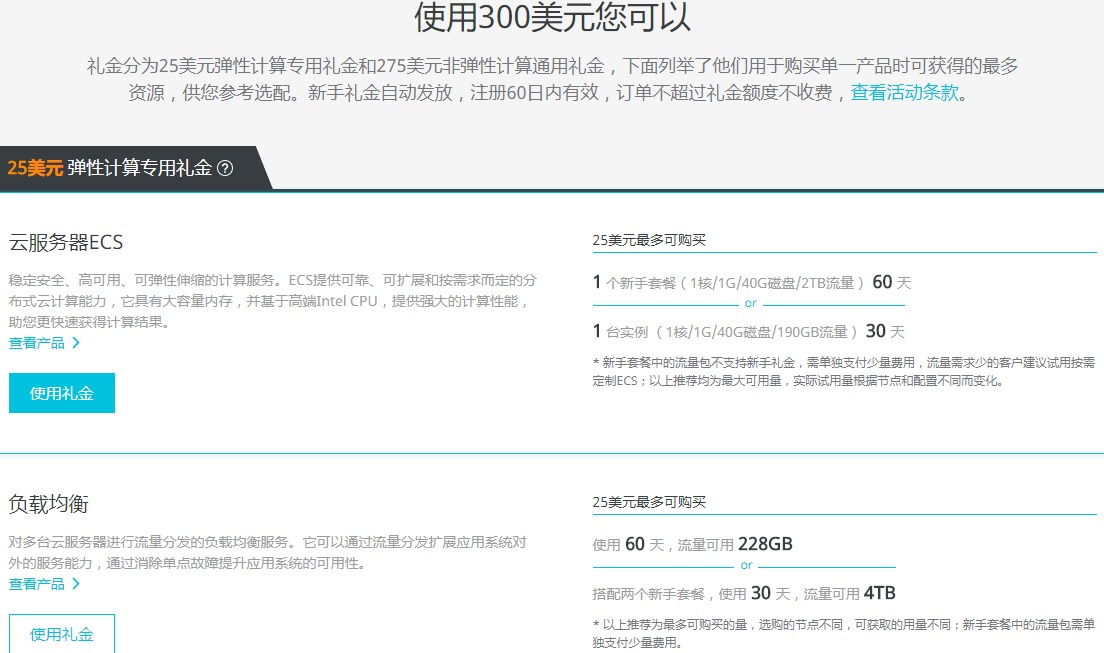
阿里云CDN https://common-buy.aliyun.com/?commodityCode=cdnforpack#/buy

本次活动所购买CDN流量包总量为480G,每月返20G,分2年返还完毕;2、CDN流量返还时间为每月1日; 3、订购成功后,每月所返20GCDN流量中,若有未使用的部分则当月失效;4、每个用户仅可以参与一次此优惠活动;

CDN 480G流量包仅需0.9元,每月返20GB,2年返完

更新

到期续费19.2刀/年付 弃了

说点废话

自己买第一台国外vps,之前用过免费空间,付费空间,腾讯云学生机,阿里云虚机。在Leonn的博客处看到了这款机器的介绍,第一感觉便宜,就上车了。

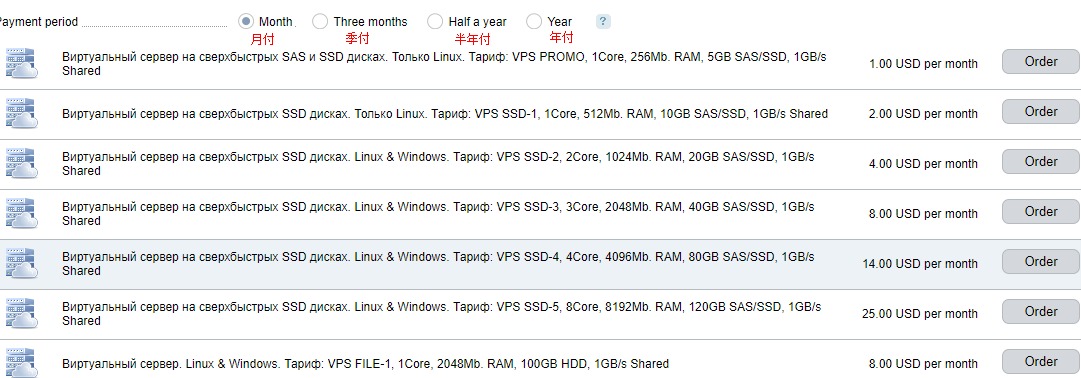
价格

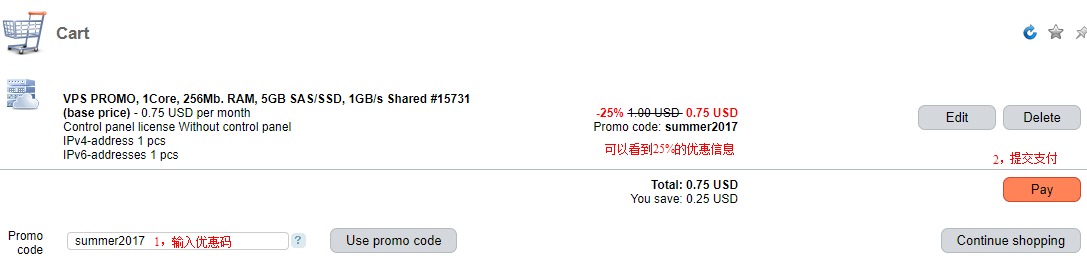
1刀每月,12刀/年,用优惠码9刀一年
折扣信息/Discount information
促销代码/Promo code:summer2017
折扣信息

注册

点我注册

购买

选择vps 根据自己需求选择时长
选择vps

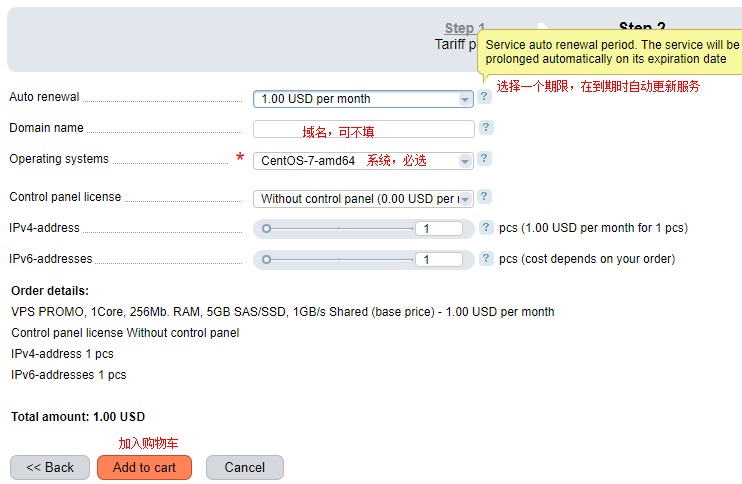
选择vps系统
选择vps系统

输入优惠码
输入优惠码

支付
可以palpay,但是有手续费。本来9刀,实付10.04 USD=71.51rmb
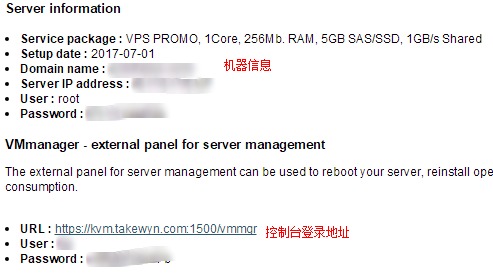
支付成功等待开通邮件
开通vps邮件

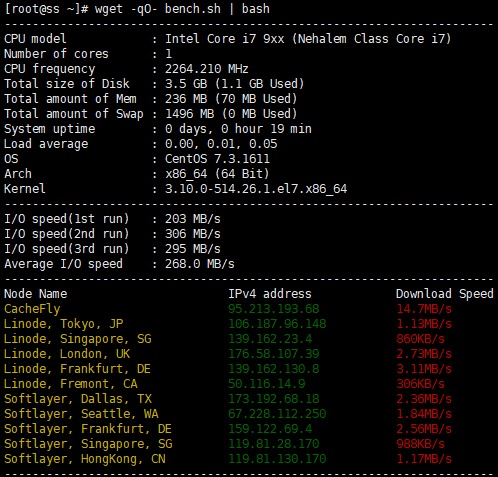
vps性能

vps性能

之前介绍了:阿里云虚机ssl通过cdn开启https
阿里云的cdn花33块钱买的100g,今天介绍一下腾讯的cdn。价格说明里面可写着免费呢。

所有CDN用户每月均可享受10GB免费流量包,新开通CDN的用户连续6个月,每月再赠送50GB流量包。

免费10g每月

下面以我自己的域名linhaoyi.com来演示,说明下:linhaoyi.com解析使用dnspod,ssl证书在阿里云,使用的阿里云虚拟主机。

开通腾讯云cdn

腾讯云cdn地址:https://www.qcloud.com/product/cdn
注册并开通cdn服务,可以使用dnspod、QQ帐号直接登录。

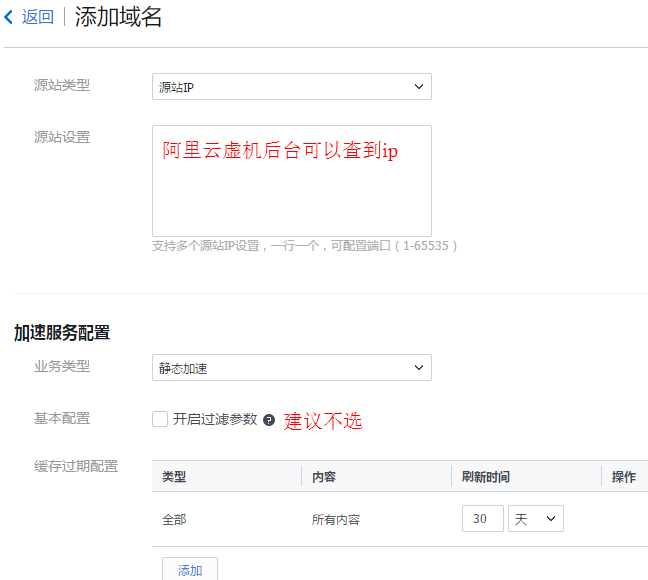
添加域名

必须备案过的域名
添加域名

解析域名

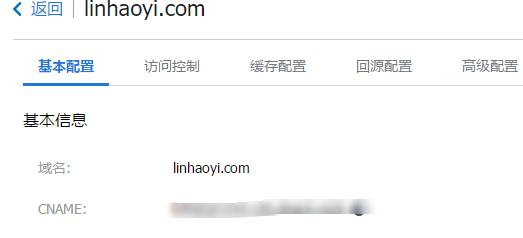
查看CNAME

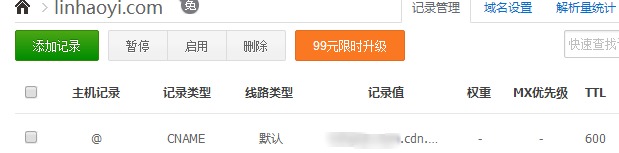
查看到CNAME并在dnspod设置里面添加解析

CNAME在dnspod解析

HTTPS配置

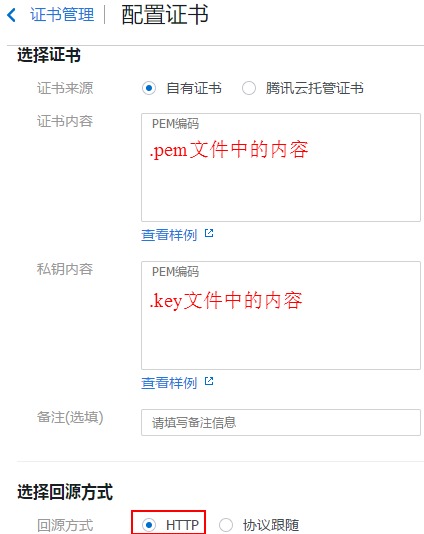
在阿里云的证书服务中把当前域名的ssl证书下载到电脑并解压,下载的时候选择Nginx格式的。
打开高级配置,在https配置选项后点击前往配置。
按照要求填写,证书内容复制.pem文件的内容,有两段;私钥内容复制.key文件的内容。
上传ssl证书

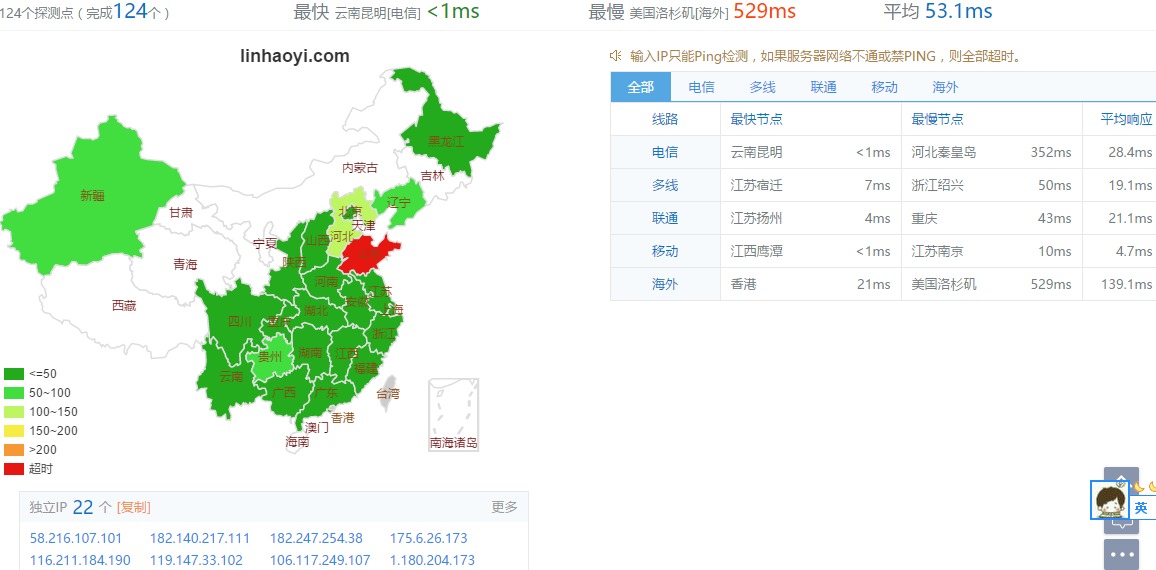
加速效果

腾讯cdn加速效果